What should drive the choice?
Prefer a supported current card for a new deployment. Retain AP9630 only after documenting its specific UPS fit, support position and migration plan.
Research based on linked manufacturer documentation. We have not physically tested this equipment.
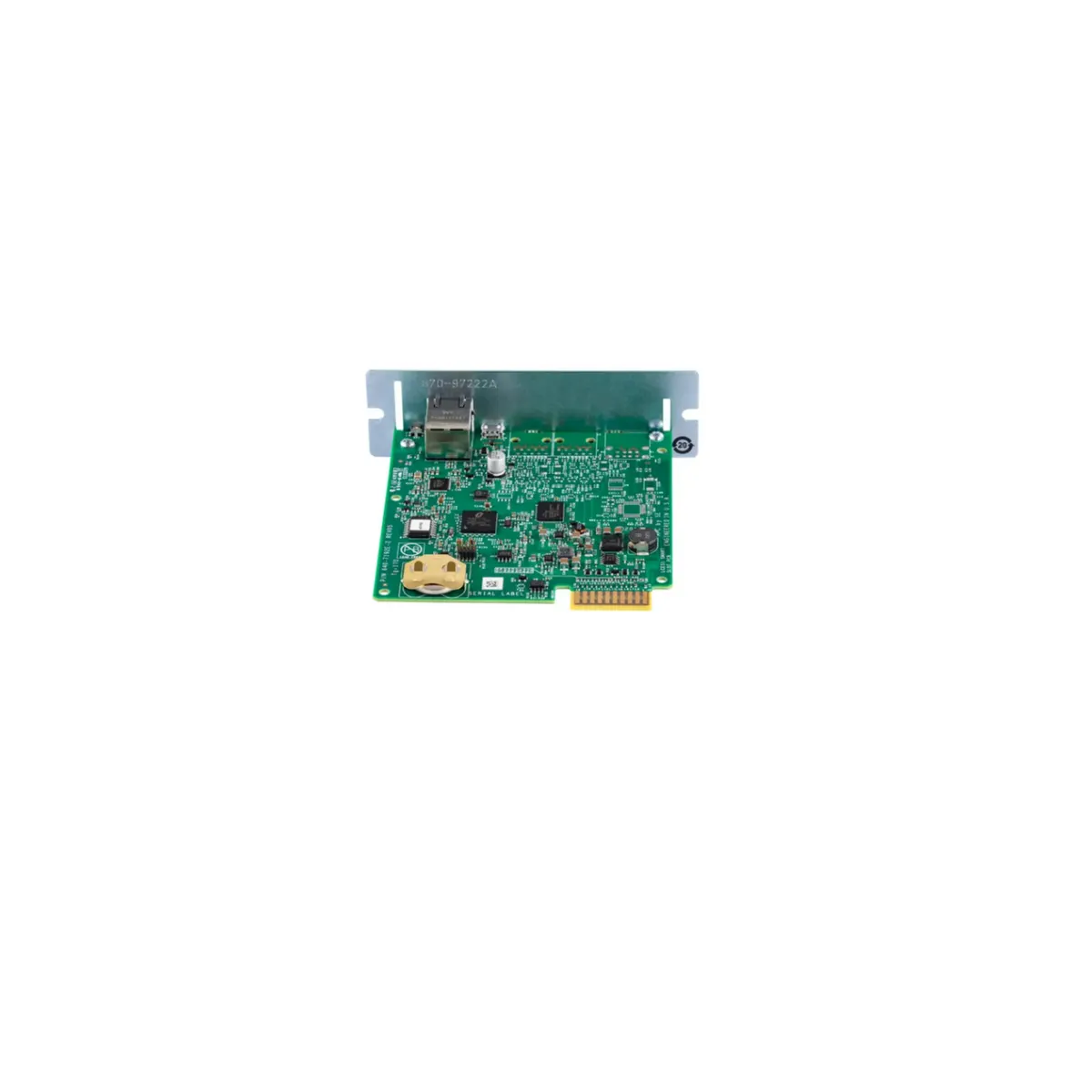
The useful comparison is support and fit
For a buyer comparing APC AP9630 vs AP9640, the strongest reason to prefer AP9640 is a maintainable deployment on a supported UPS. An inexpensive legacy card can still be a poor purchase if the team cannot obtain an appropriate update, meet its security requirements or complete a future migration without another site visit. Equally, ordering the newer model without checking the UPS can create a compatibility problem. The right sequence is to identify the equipment, verify the supported replacement and then price the complete change.
AP9630 belongs to Network Management Card 2, while AP9640 belongs to Network Management Card 3. Schneider names AP9640 as the stand-alone replacement for AP9630 in its NMC2 support policy. That replacement statement is a starting point for procurement, not a claim that every UPS accepting AP9630 will accept AP9640. This comparison uses manufacturer documentation and buying analysis. We have not installed either card, tested shutdown behavior or benchmarked its network interface.
Read the legacy support policy carefully
The policy, revision 3 dated August 2024, records October 30, 2023 as the previously announced end of NMC2 cybersecurity updates and critical fixes. It then gives specific exceptions. Hardware shipped with an embedded or pre-installed NMC2 and still within its factory warranty receives critical cybersecurity updates until that warranty expires. For extended warranties or service contracts, the stated end is December 31, 2025. For expired-warranty products, Schneider may provide technically feasible critical cybersecurity fixes at its sole discretion.
As of this article's October 2026 review, the extended-warranty and service-contract date has passed. The discretionary clause must not be translated into a promise of routine maintenance, feature development or a guaranteed future patch for an individual used AP9630. Nor should the policy be simplified into a universal claim that no NMC2 update can ever appear. Ask Schneider about the exact hardware and warranty situation when that distinction affects the decision.
| Decision question | AP9630 | AP9640 |
|---|---|---|
| Platform | Legacy NMC2 | NMC3 replacement identified by Schneider |
| UPS suitability | Check the NMC2 row and application conditions | Check the NMC3 row and all UPS conditions |
| Maintenance planning | Review the conditional NMC2 support policy | Verify current firmware entitlement and renewal |
| Used-card concern | Unknown configuration, firmware and support position | Unknown configuration, firmware and subscription status |
| Buying priority | A documented reason to retain legacy hardware | A supported fit with an owner for maintenance |
A SmartSlot is not a complete compatibility check
The manufacturer’s current compatibility chart lists supported UPS families separately for NMC2 and NMC3. The AP9630 row includes older SU and Matrix entries that are absent from the AP9640 row. For AP9640 on SUA equipment, the chart specifies manufacture after 2008 and UPS firmware v1.4.2 or greater. Some NMC2 entries also have application-version conditions. A matching slot or a seller's broad Smart-UPS claim cannot substitute for those details.
Collect the complete UPS model, serial information and firmware before requesting a quotation. Avoid reducing a model to its VA number, because capacity alone does not identify its communications generation. If the UPS sits in a larger supported system, check whether the intended card manages the UPS only or whether another embedded interface must handle distribution. When documentation leaves an ambiguity, send the exact identifiers to the manufacturer. Buying both cards to discover which one communicates is an avoidable acceptance problem.
Treat migration as a small infrastructure change
The card's address is often embedded in more places than an administrator initially remembers. Inventory monitoring systems, notification rules, shutdown clients, configuration backups, firewall rules and any scripts that query the existing interface. Record the purpose of each connection as well as its destination. A polling rule used only to draw a dashboard is different from a dependency that initiates a server shutdown. That difference determines the order and depth of the acceptance checks.
Do not assume an old configuration export can be imported unchanged into another generation. Follow the migration and configuration documentation for the exact firmware involved. Preserve a readable record of the old settings so the team can rebuild the intended behavior if an automated transfer is unsupported. Include the time source, alarm recipients, authentication settings and device naming. A successful login after installation is useful, but it does not establish that these operational dependencies still work.
Include AP9640 update ownership in the quotation
The current AP9640 offering includes a one-year Secure NMC System subscription. Verify the terms applicable to the actual seller package, region and hardware condition, then record how the entitlement is activated and maintained. The Network Management Cards range is the manufacturer's starting point for the update system. A bare marketplace listing may not explain whether an included entitlement has already been used or whether a used card carries a transferable benefit.
Separate the initial card purchase from the work needed to keep its management endpoint maintained. Assign an owner for release review, configuration records and renewals where applicable. The purpose is to make the support plan visible before purchase, not to assume that a subscription automatically makes a deployment secure. Network placement, credentials, enabled services and the applications communicating with the card still need a suitable configuration and a person responsible for them.
Preserve the shutdown outcome
If the old card participates in an orderly shutdown process, write down the intended outcome before changing hardware. Identify which hosts stop first, which storage and network services must remain available, and how recovery is initiated. Check the currently supported shutdown software against the actual operating systems and virtualization platforms. Do not infer support for a current platform from the fact that an old installation happened to work for several years.
Plan a controlled acceptance exercise that observes the relevant events without disrupting production unexpectedly. Confirm UPS communication, timestamps, normal monitoring and a harmless test notification where supported. Then validate the agreed shutdown sequence during an appropriate window. Record who observed the result and what configuration was used. These are purchaser recommendations, not test results from our own hardware. They help distinguish a card replacement that looks complete from a management service that is ready to operate.
When retaining AP9630 may be reasonable
An existing installation can have a narrow reason to keep its current card while a larger UPS replacement is prepared. The evidence should include compatibility, the documented support position, the services actually enabled and the planned retirement date. That is a bounded operating decision. It is weaker when the only justification is that the interface still opens in a browser. A functioning page says little about future maintenance or the reliability of the shutdown dependencies around it.
A used AP9630 purchase deserves more scrutiny because it adds another legacy component to the estate. Compare its complete installed cost with the effort of commissioning and later replacing it. Request model-label photographs and a description of what the seller verified. A screenshot does not establish firmware provenance, configuration cleanliness or UPS compatibility. Avoid assigning an invented failure rate or speculative savings to either card. The manufacturer's support information and the site's requirements provide a firmer basis for the choice.
An order-ready checklist
- Capture the complete UPS model, serial information and UPS firmware.
- Read the relevant compatibility rows, notes and required application.
- Document every monitoring and shutdown dependency on the current card.
- Confirm the new hardware condition, included accessories and update entitlement.
- Prepare configuration records, an acceptance procedure and a recovery plan.
- Assign ownership of alerts, maintenance and the legacy card's retirement.
Which card should you choose?
Choose AP9640 when Schneider confirms it for the exact UPS and the project can maintain its firmware and management workflow. It is the relevant replacement path for an AP9630 upgrade, but compatibility remains a gate. Keep AP9630 only with a documented reason and a support-aware plan. If the UPS itself falls outside the newer card's supported list, assess the complete UPS replacement instead of treating a network accessory as a universal way to extend the system's useful life.
Check the exact models
Confirm the model suffix, electrical configuration, seller, condition, included hardware and warranty. These are Amazon.com model searches; results can include alternatives.
Sources and research basis
- Schneider Electric NMC2 end-of-life support policy, revision 3 August 2024Primary documentation · checked 15 October 2026
- Current UPS Network Management Card compatibility chartPrimary documentation · checked 15 October 2026
- Schneider Electric AP9640 product informationPrimary documentation · checked 15 October 2026
- Network Management Cards and Secure NMC SystemPrimary documentation · checked 15 October 2026
Manufacturer specifications describe the documented configuration. Buying recommendations are our interpretation of those features. No original runtime, acoustic, efficiency, switching or software test is claimed. Report a correction.