What should drive the choice?
Choose PDUMNH20 when remote aggregate visibility, a compatible source and eight connections fit the project. Verify the network-card generation and output details of the supplied unit.
Research based on linked manufacturer documentation. We have not physically tested this equipment.
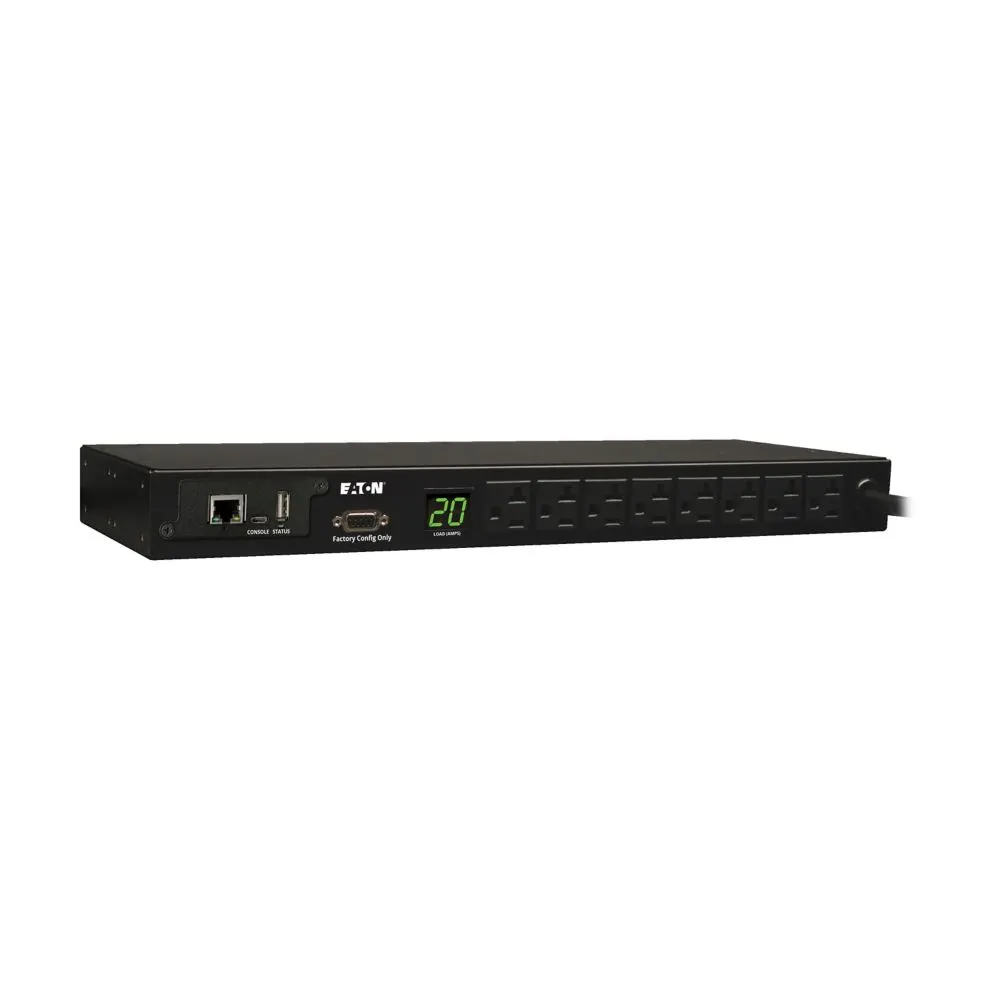
Remote information can be the whole requirement
The Eaton PDUMNH20 belongs on a shortlist when a central team needs to observe the power condition of a rack without remotely switching its loads. It can make a branch closet's aggregate information available through the management network while preserving a local current display for visits. That is a specific operational purpose. A buyer should not assume every network PDU also offers individual power commands.
The strongest case is an established monitoring process with an owner for the resulting information. If the team only needs additional receptacles, network configuration may add work without solving a relevant problem. This review interprets manufacturer documents and purchasing tradeoffs. We have not tested a sample, verified its readings against a reference instrument or connected it to a production monitoring system.
Use sixteen amps continuous in the capacity record
The current product sheet identifies the 20A class as agency derated to 16A continuous. It lists 120V nominal output and 1.92kW at 120V in the output-capacity detail. Input uses an attached NEMA L5-20P cord with an included 5-20P adapter, and cable length is 12ft. These are different facts from permission to maintain a 20A load simply because a connector belongs to that class.
| Purchase item | PDUMNH20 evidence | Practical implication |
|---|---|---|
| Continuous capacity | 16A agency derated | Plan aggregate demand and relevant failover conditions |
| Source arrangement | L5-20P with supplied 5-20P adapter | Confirm the intended compatible connection |
| Outlet count | Eight | Count each supply separately |
| Output description | Current page and specification table say 5-15/20R | Resolve a conflicting feature bullet if connector fit is critical |
| Management | Current sheet identifies WEBCARDLX with PADM20 | Verify delivered card and firmware |
| Fit | 6.2in body depth; 11.2in minimum rack depth listed | Measure installed clearance |
The current product page agrees on sixteen amps, eight outputs and the input arrangement. Check the actual upstream source and available capacity, including any UPS output serving other equipment. An aggregate reading at the PDU observes one boundary. It does not automatically explain the load on every upstream dependency or establish spare capacity elsewhere in the installation.
Confirm the connector detail on actual stock
The current product sheet contains a discrepancy: its title, highlights and specification table identify eight 5-15/20R outputs, while one feature bullet says eight 5-15R outlets. The current web specification also says 5-15/20R. Keep the dominant specification in view, but request a clear outlet photograph or manufacturer confirmation if support for a particular equipment plug is decisive. A generic family image is insufficient for that check.
Resolve this at the quotation stage rather than changing cords after delivery. Record the exact model and hardware identity in the order. A similar PDUMNH15, a high-voltage variant or an automatic-transfer model has its own electrical configuration. The shared monitored-family name should help find candidates, while the full identifier and actual label decide what is suitable for the source and equipment.
The management card is part of the purchase
The current sheet identifies pre-installed WEBCARDLX and PowerAlert Device Manager firmware, called PADM20. Older PDUMNH documentation can describe SNMPWEBCARD, and used listings may contain older configurations. Those are separate platforms for commissioning and maintenance. A listing that only says web managed does not establish which card is installed or which current integrations the buyer can use.
Request the card identifier and firmware version for the actual stock. Then use the corresponding WEBCARDLX documentation or the appropriate legacy instructions. Do not assume that a software upload turns one card generation into another. Include any necessary hardware change and acceptance work in the installed comparison, particularly if the lower-priced unit is offered as an equivalent to new LX-equipped stock.
Know what the remote reading can establish
The manufacturer describes Ethernet reporting of voltage, frequency and load, plus local current observation. Use those values with a clear question. A recorded change after an approved appliance addition can be useful evidence for capacity review. A normal reading during a quiet period cannot establish that the rack will stay within its limit during every workload or after a redundant supply path fails.
Separate an observation from a diagnosis. A rising aggregate current can justify checking the equipment inventory or workload, but it does not identify the responsible device by itself. A missing network response may reflect the management path rather than loss of electrical output. Write a troubleshooting sequence that checks those possibilities in a useful order. This prevents a single signal from becoming an unsupported conclusion about the whole rack.
Monitoring is different from outlet control
The historical owner’s manual explains that the described outlets cannot be controlled even where they have numbers and descriptive labels in the interface. Current documentation identifies this model as monitored. Treat a remote power-cycle requirement as a reason to compare switched hardware, such as PDUMH20NET2LX.
Similarly, aggregate information should not be presented as per-outlet energy accounting. If a project requires individual device kilowatt-hours, a billing report or a particular accuracy specification, state those requirements explicitly. An outlet description tells a technician what is connected; it does not establish that the current or energy of that load is measured separately.
Assign a person and response to the information
Choose meaningful thresholds and alert recipients as part of the operating plan. Record who investigates a capacity warning and when a local technician should visit. A mailbox that nobody maintains can turn useful hardware into an unobserved data source. Periodically review the ownership along with the rack inventory, especially after staff or service-provider changes.
Validate the intended path through a supported harmless notification or another approved acceptance check. Confirm timestamps, device naming and monitoring-system identity. Keep the configuration and firmware record available to the person who will maintain it. These are commissioning recommendations rather than results from our own test environment or a claim that we have audited the management implementation.
Add environmental inputs only with a measurement plan
The current product sheet lists optional EnviroSense2 modules for environmental monitoring. If that capability is useful, specify the exact measurement, compatible module and installation location before adding accessories to the order. A temperature observation near one point in a cabinet does not describe conditions at every equipment inlet. Place the input to answer a defined operating question and document its position so future changes can be interpreted.
Assign a response owner for those inputs separately from the electrical capacity record. A warm-closet event may require a cooling investigation, while a rising current trend may require reviewing equipment additions. Combining information in one interface can be convenient, but it does not mean both observations justify the same action. Confirm the module package and support requirements rather than assuming a bare PDU includes the desired sensors.
Fit the complete installation
The manufacturer lists 6.2in body depth and 11.2in minimum required rack depth. Use the latter as an early screen for a shallow cabinet. Include output plugs, cable bends, retention parts and the network connection in the actual layout. Reversible mounting ears can help select the facing direction, but the best orientation is the one that leaves readable labels and usable hand access.
Trace the twelve-foot input cable along its intended route, including turns and vertical travel. Verify that the seller includes the specified adapter and the mounting parts the layout needs. For used hardware, inspect the cord and connector condition as carefully as the management display. An attractive front photograph does not establish the completeness of the package or suitability of the source connection.
Verdict
PDUMNH20 is a useful candidate for a compatible rack that needs eight connections and remote aggregate visibility on a sixteen-amp continuous plan. Its purchase depends on exact electrical fit and the installed management platform. Confirm the output detail where the documentation conflicts, identify current LX or legacy stock, and define who will use the information before commissioning.
Check the exact models
Confirm the model suffix, electrical configuration, seller, condition, included hardware and warranty. These are Amazon.com model searches; results can include alternatives.
Sources and research basis
- Eaton PDUMNH20 current product specificationsPrimary documentation · checked 15 October 2026
- Eaton PDUMNH20 current product sheetPrimary documentation · checked 15 October 2026
- Eaton PDUMNH15, PDUMNH20 and PDUMNH30 historical owner’s manualPrimary documentation · checked 15 October 2026
- Eaton WEBCARDLX owner’s manualPrimary documentation · checked 15 October 2026
Manufacturer specifications describe the documented configuration. Buying recommendations are our interpretation of those features. No original runtime, acoustic, efficiency, switching or software test is claimed. Report a correction.